Uptown Funk AI Video Generator
Put yourself and up to 4 friends into the street crew. Upload one photo per person, choose a look and create a 15-second widescreen dance from our built-in video reference.
Create your video
1Your crew photos
One photo per person. Photo 1 is the lead; add up to four friends.
1 person · Kling 3.0 Omni · 15s · 99 credits
Lead · center
Best results: one person, facing the camera, even lighting, head and shoulders visible. Avoid sunglasses, masks and heavy filters.
2Outfit direction
3Length
The clip above was supplied as a reference. Outfit themes guide new renders; they are not previews of verified results.
How it works
How to make your Uptown Funk AI video
- 1
Cast your crew
Choose 1–5 people and add one clear adult portrait per slot. Photo 1 is the center lead.
- 2
Choose the look and check the cost
1–3 people use Kling 3.0 Omni: 99 credits ($9.90). 4–5 use Kling 4.0: 199 credits ($19.90). All clips are 15 seconds.
- 3
Generate, review and download
Confirm everyone’s permission, start the render and download the finished MP4. Failed renders return their credits automatically.
The street crew remix
What is the Uptown Funk AI trend?
The Uptown Funk trend turns the street-dance lineup into a casting idea: a center lead, four supporting dancers, coordinated step-touches and expressive close-ups. The recognizable part is the crew’s rhythm and the cut between group and lead shots.
AI Uptown Funk is an Uptown Funk AI generator for your own consenting crew. This Uptown Funk dance video workflow combines a built-in motion reference with separate portraits, rather than asking you to film the routine. Choose a solo lead, a trio or a full AI crew dance, with a fixed 15-second 16:9 output.
Explore the Uptown Funk video and trend timelineBuilt around the reference
Uptown Funk AI, with room for your whole crew
One portrait per person
Replace 1–5 performers. Separate photos help the model distinguish faces and keep each reference tied to its role.
A fixed place in the lineup
Lead in the middle, then friends at far left, far right, inner left and inner right. Unfilled roles remain supporting dancers.
Four outfit directions
Keep your look, try retro suits, coordinate football jerseys or choose original wizard-school robes. The street routine stays the reference.
15-second widescreen clip
16:9 framing gives the crew space. Kling 3.0 Omni handles the smaller cast; Kling 4.0 handles four or five references.
Private uploads
Photos are used for the requested render and deleted automatically 7 days after upload. Videos are kept for 30 days after they finish.
Clear cost before rendering
One-time credit purchases, no subscription. A failed render returns the credits deducted for that job.
Reference shot breakdown
A crew routine with changing camera angles
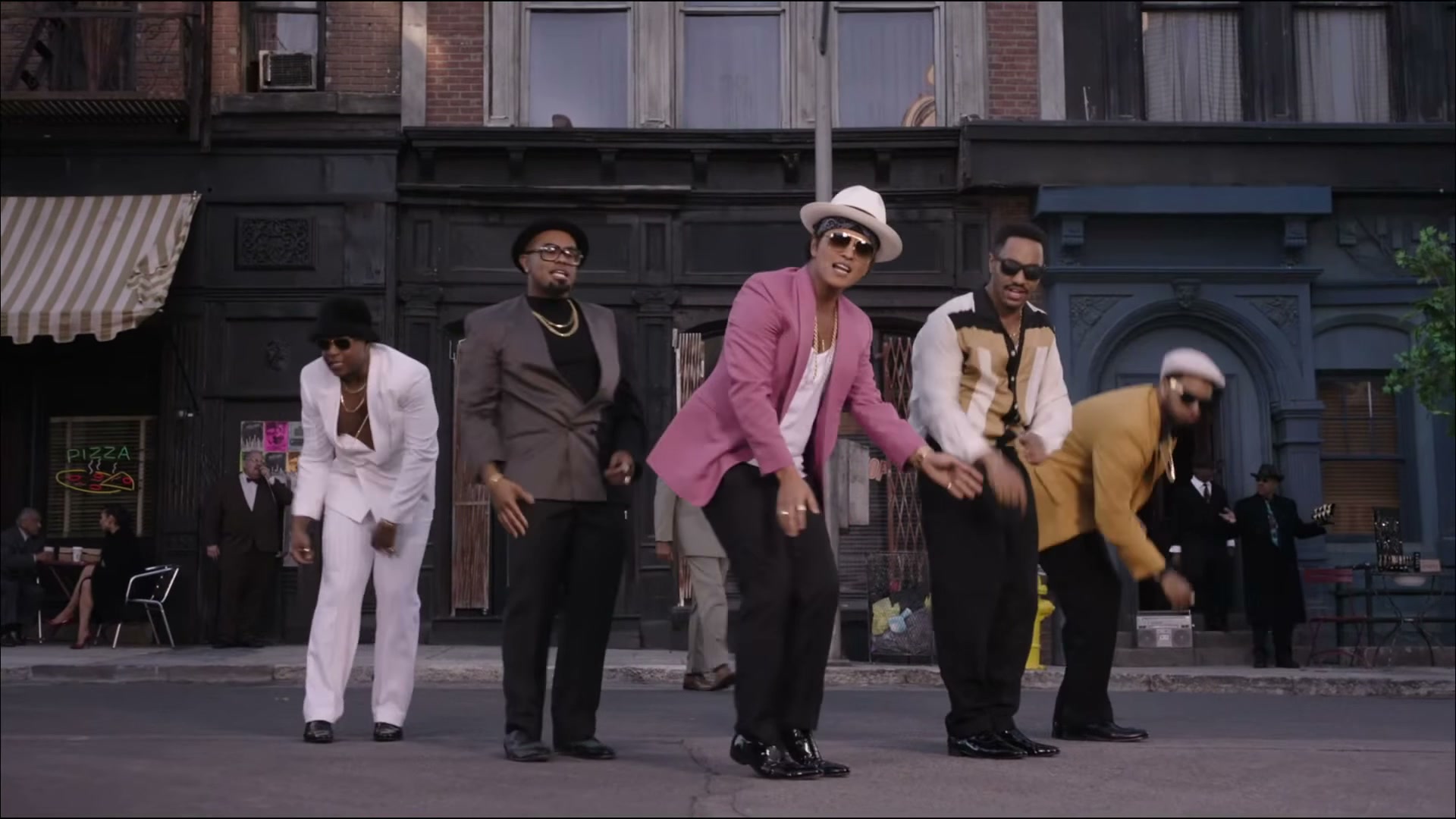
The lead and the lineup
Start with the center lead and the surrounding crew. This reference establishes whose identity should stay visible as the camera moves.
Choose my crew and look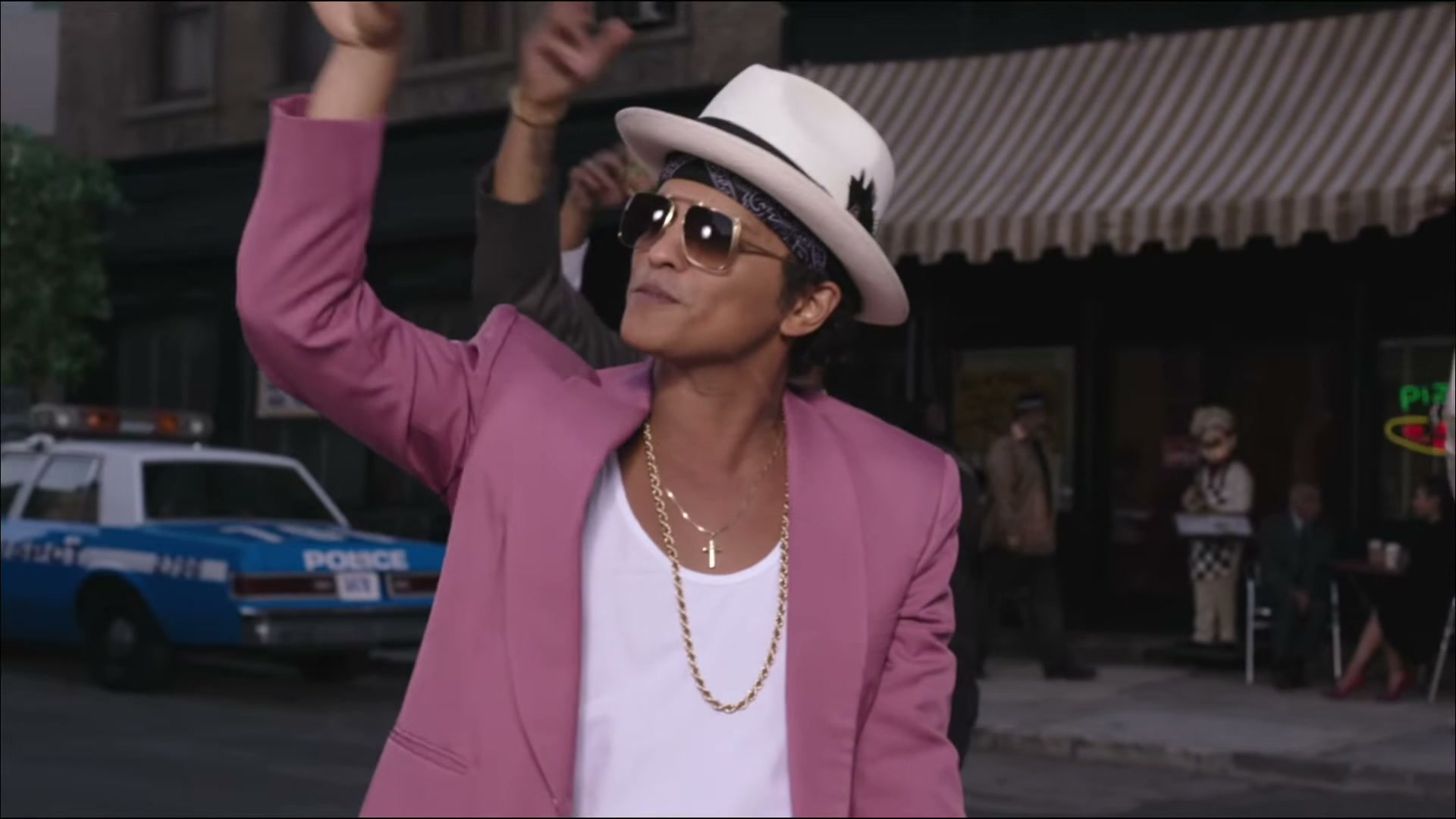
The full-body group shot
The wider view reveals the coordinated steps, grounded feet and spacing. Keep each uploaded face assigned to the same dancer across cuts.
Choose my crew and look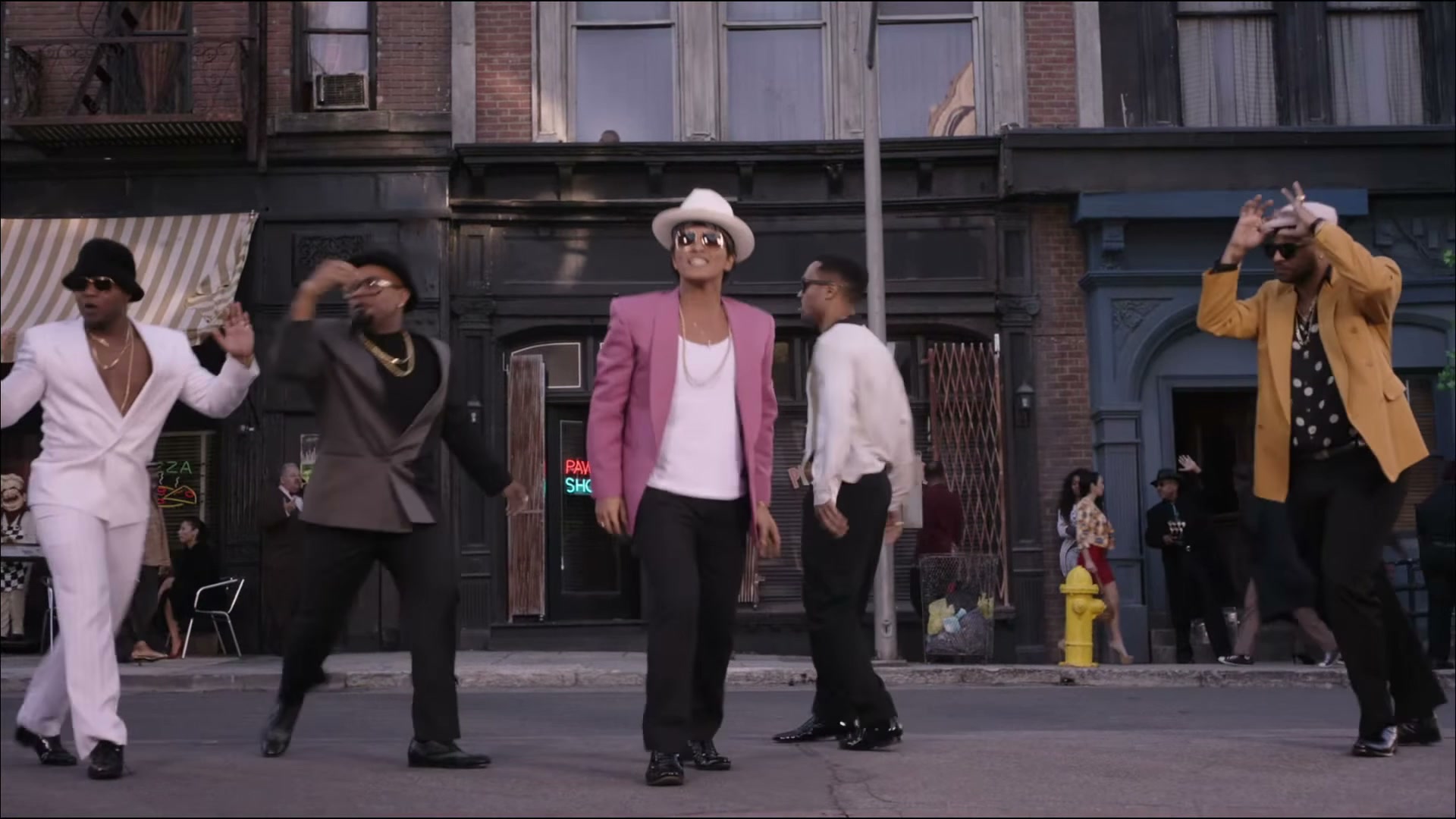
The gesture and the finish
Closer gestures and the final group movement bring the routine back to the lead. Outfit presets change styling, while the supplied clip guides motion.
Choose my crew and lookPricing
Start with one clip. Save with a larger pack.
15 seconds in either tier. 1–3 people: $9.90; 4–5 people: $19.90. One-time packs, no subscription. Larger packs lower the price per credit.
Solo, duo or trio
1–3 people · Kling 3.0 Omni
$9.90
99 credits
1–3 people · Kling 3.0 Omni · 15s per video
- One-time purchase, credits never expire
- 15-second widescreen MP4
- Four outfit directions
- Credits returned on failed renders
Full crew
4–5 people · Kling 4.0
$19.90
199 credits
4–5 people · Kling 4.0 · 15s per video
- One-time purchase, credits never expire
- 15-second widescreen MP4
- Four outfit directions
- Credits returned on failed renders
Creator pack
11 solo/trio videos or 5 full-crew videos. Mix both sizes.
$99.00Save 10%
1100 credits
- One-time purchase, credits never expire
- 15-second widescreen MP4
- Four outfit directions
- Credits returned on failed renders
Studio pack
25 solo/trio videos or 12 full-crew videos. Mix both sizes.
$199.00Save 20%
2500 credits
- One-time purchase, credits never expire
- 15-second widescreen MP4
- Four outfit directions
- Credits returned on failed renders
Savings compare the price per credit with the $9.90 entry pack and are rounded down. Credits work with both crew sizes. Prices in USD; taxes are calculated at checkout.
Uptown Funk AI questions
Photos, crew roles, model tiers and billing before you create.
Create my videoWhat does this Uptown Funk AI generator make?
A 15-second 16:9 AI street-dance video guided by the built-in reference. Add 1–5 portraits to cast yourself and consenting friends.
Which photos work best?
Use one adult per photo, looking at the camera in even light, with head and shoulders visible. Avoid group photos, sunglasses and heavy filters. JPG, PNG or WebP, up to 10 MB each.
Where do my friends appear?
Photo 1 is the center lead. Photos 2–5 map to far left, far right, inner left and inner right. In solo shots the lead remains the focus. Unfilled roles stay as supporting dancers.
How much does it cost?
1–3 people: $9.90, 99 credits, Kling 3.0 Omni. 4–5 people: $19.90, 199 credits, Kling 4.0. Both are 15 seconds. Credits are bought once; there is no subscription.
Why two models?
Kling 3.0 Omni is the lower-priced path for up to 3 identity references. Kling 4.0 is used for the larger crew. More references do not guarantee perfect likeness; review your result before sharing.
Is the reference clip a video generated by this site?
No. It is the user-provided reference, shown with that label. It is the supplied 15-second 1080p clip. Its timing and original soundtrack are retained as the reference, and new renders use your own photos.
Is the reference audio kept?
Yes. We keep the supplied video’s original audio. Before saving a finished video, its audio track is replaced with the reference audio without re-encoding, remixing or changing its speed.
How long does rendering take?
Queue times vary and can take several minutes. Check My videos for progress and download the result when it is ready. Failed or timed-out renders return their credits.
Can I upload a celebrity or another person?
Use only your own photo or photos of consenting adults. This service does not accept minors, celebrities or public figures. Label exported videos as AI-generated.
What happens to my photos?
Photos are processed by Kie.ai for your requested video and stored privately here, then deleted automatically 7 days after upload. Finished videos are kept for 30 days after they finish. You can export your account data or delete your account in Settings.
Your crew. The Uptown Funk routine.
Choose the lead, add your friends and make a 15-second street-dance remix.
Create my crew video · $9.90+